
Changing Your Shopify URL
This guide demonstrates how to update your Shopify store URL.
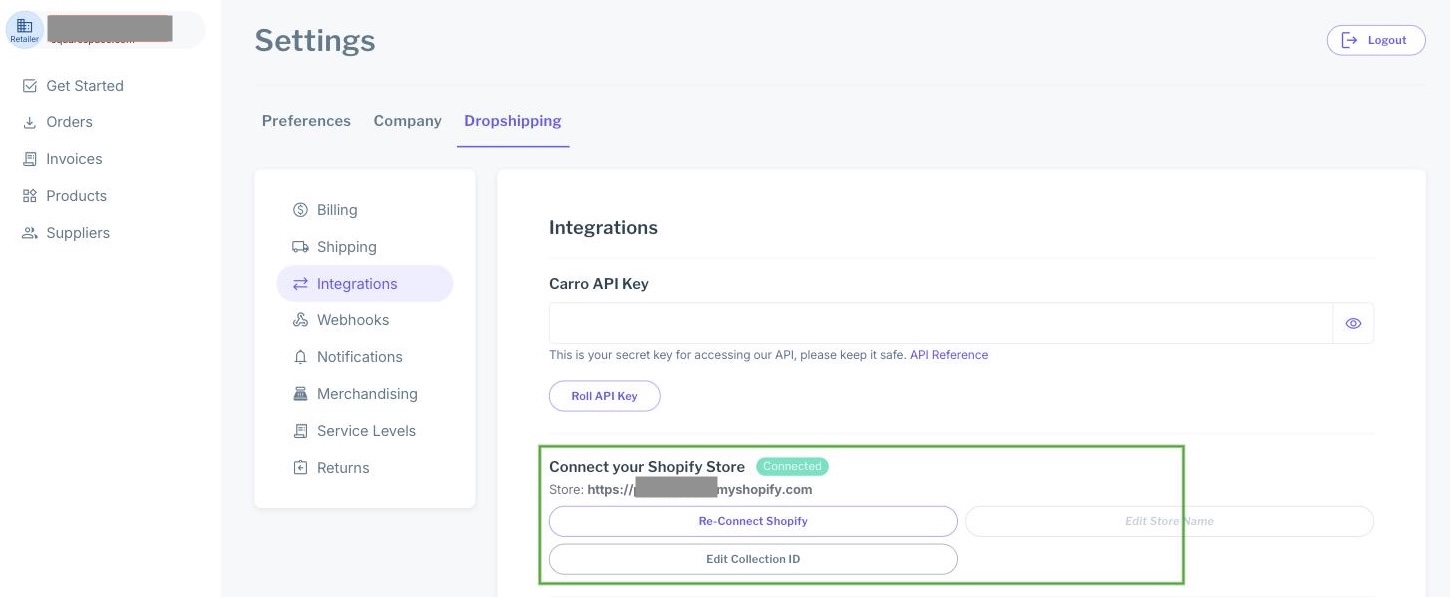
Navigate to the Integration Settings and you will see a section called "Connect your Shopify Store". Update your store name and click on the button "Edit Store Name". If you do not see this in the integrations tab of your settings, it is likely because Shopify was not selected when your company was created. If that is the case, or if you are unable to update your Shopify URL, please contact support@moderndropship.com.
Warning
Note: As pictured above, you will not be able to update your store URL if you have already imported products through your e-commerce platform or a partner relationship, and/or if orders have already been placed.
Next Steps
After updating your store URL, you will need to connect to Shopify for Carro Now Powering Modern Dropship to begin syncing your products. You can follow the steps outlined in Connecting Shopify.