
Connecting Magento 2 as a Suppliers
This guide is for Suppliers connecting their Magento 2 store with Carro Now Powering Modern Dropship.
We recommend setting up a unique Magento store view to support Carro Now Powering Modern Dropship's requirements without affecting your customer-facing store.
Note: Carro Now Powering Modern Dropship supports integrations with Magento version 2.4.4 and higher. Lower versions may not be able to integrate successfully.
1. Grant Permissions
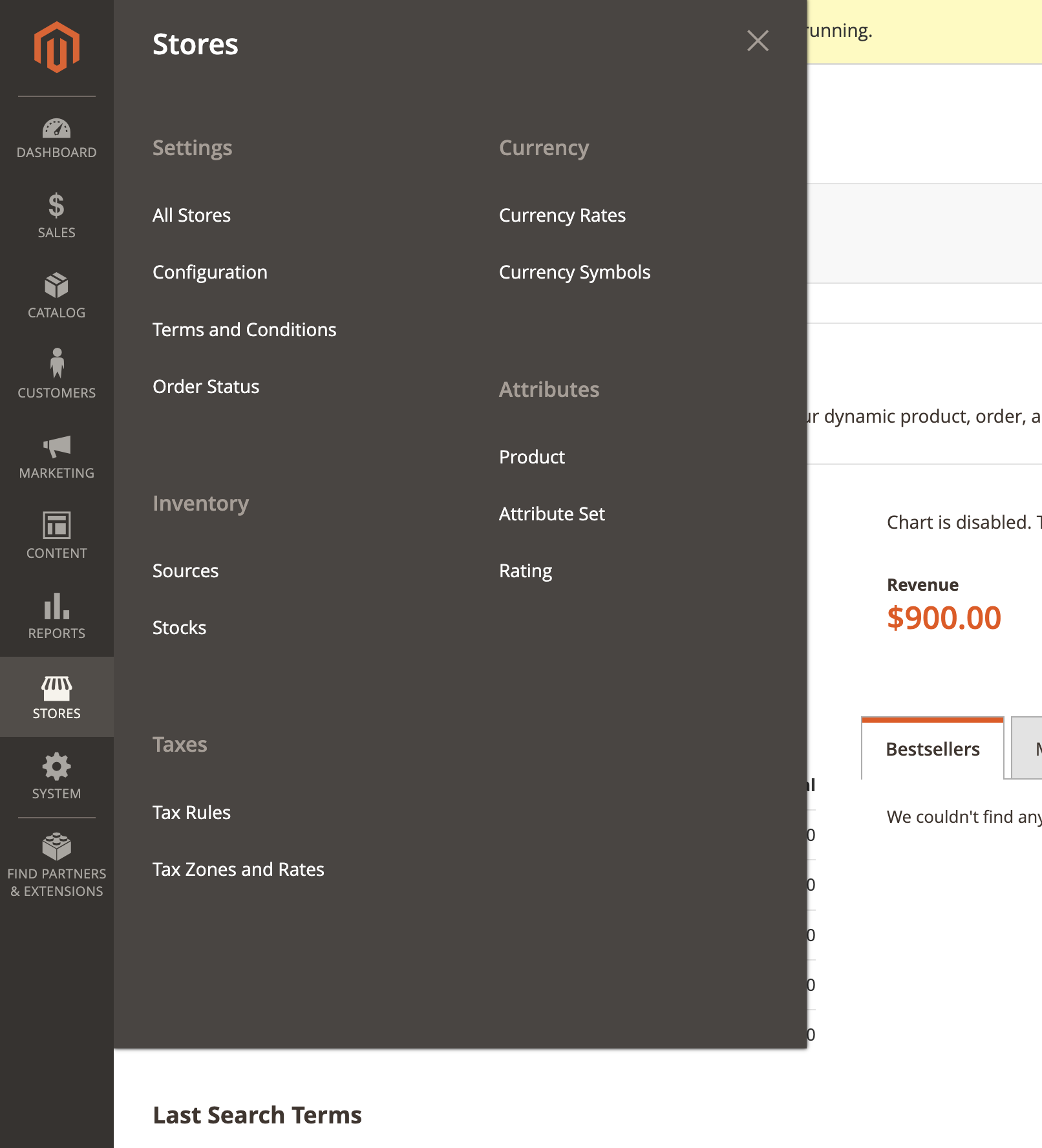
Go to your Admin dashboard > Stores > Configuration > Settings:
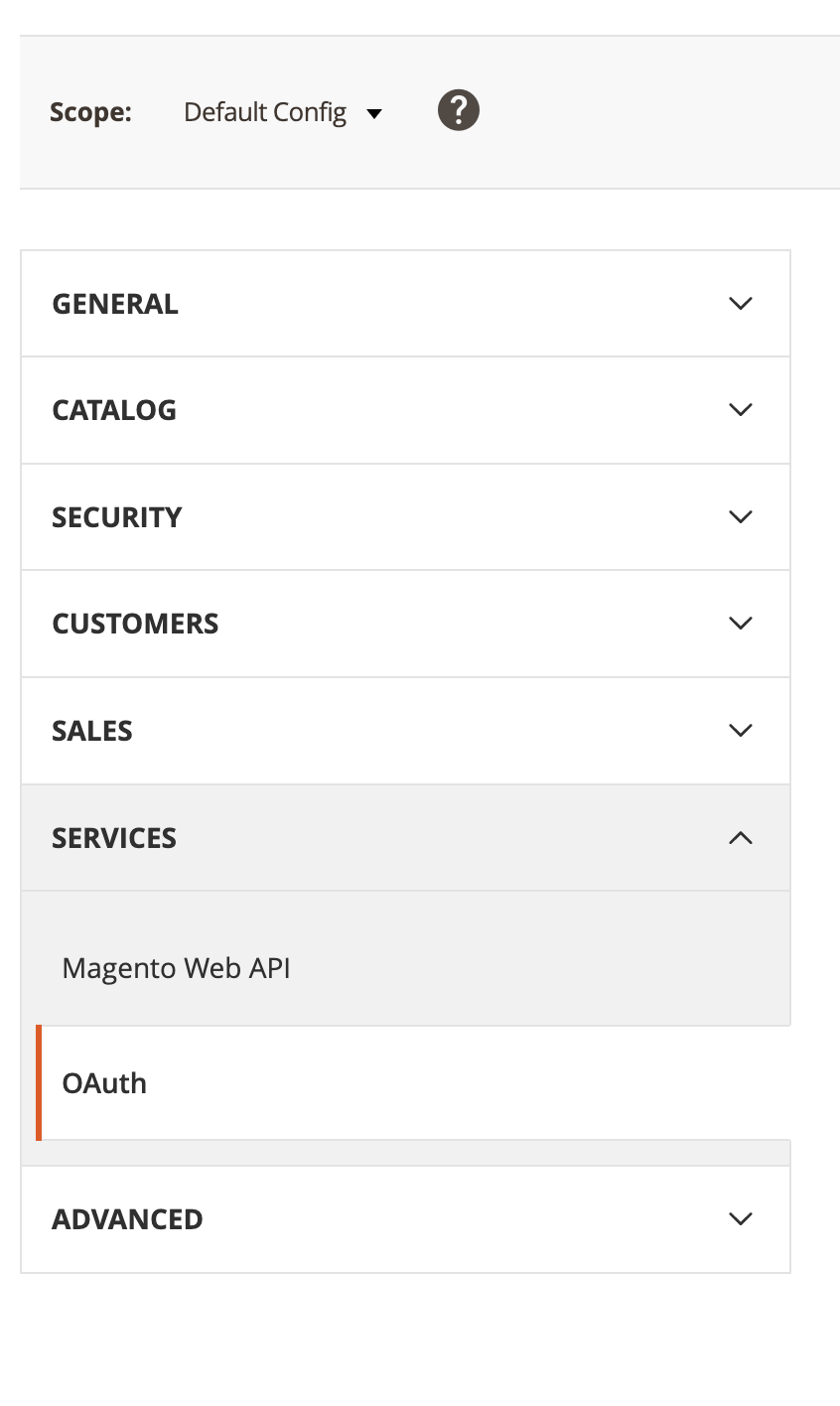
Next, navigate to "Services" and "OAuth":
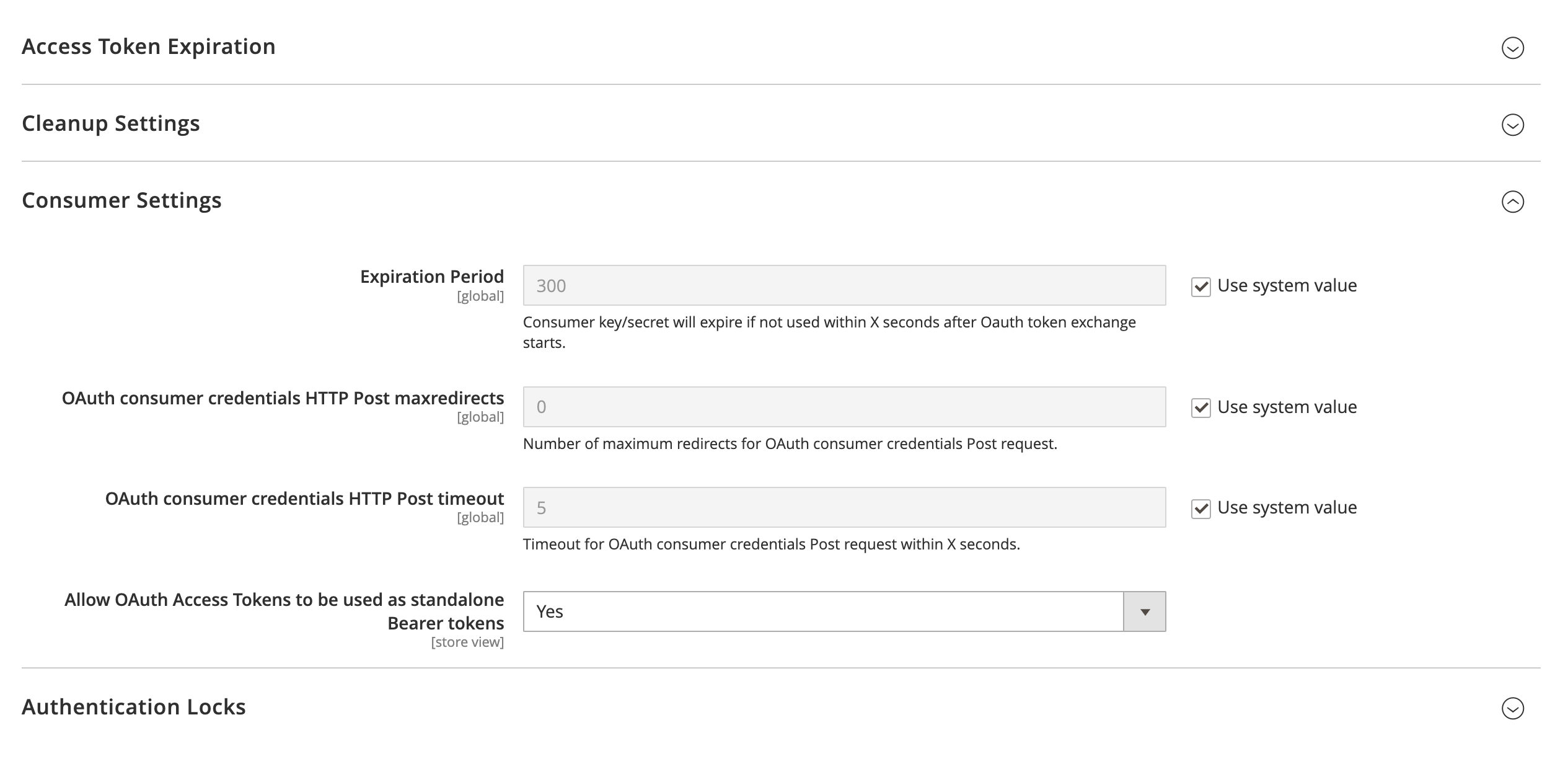
Click the dropdown for "Allow OAuth Access Tokens to be used as standalone Bearer tokens" and select "Yes":
Click "Save Config" at the top of the screen:

2. Generate API Keys
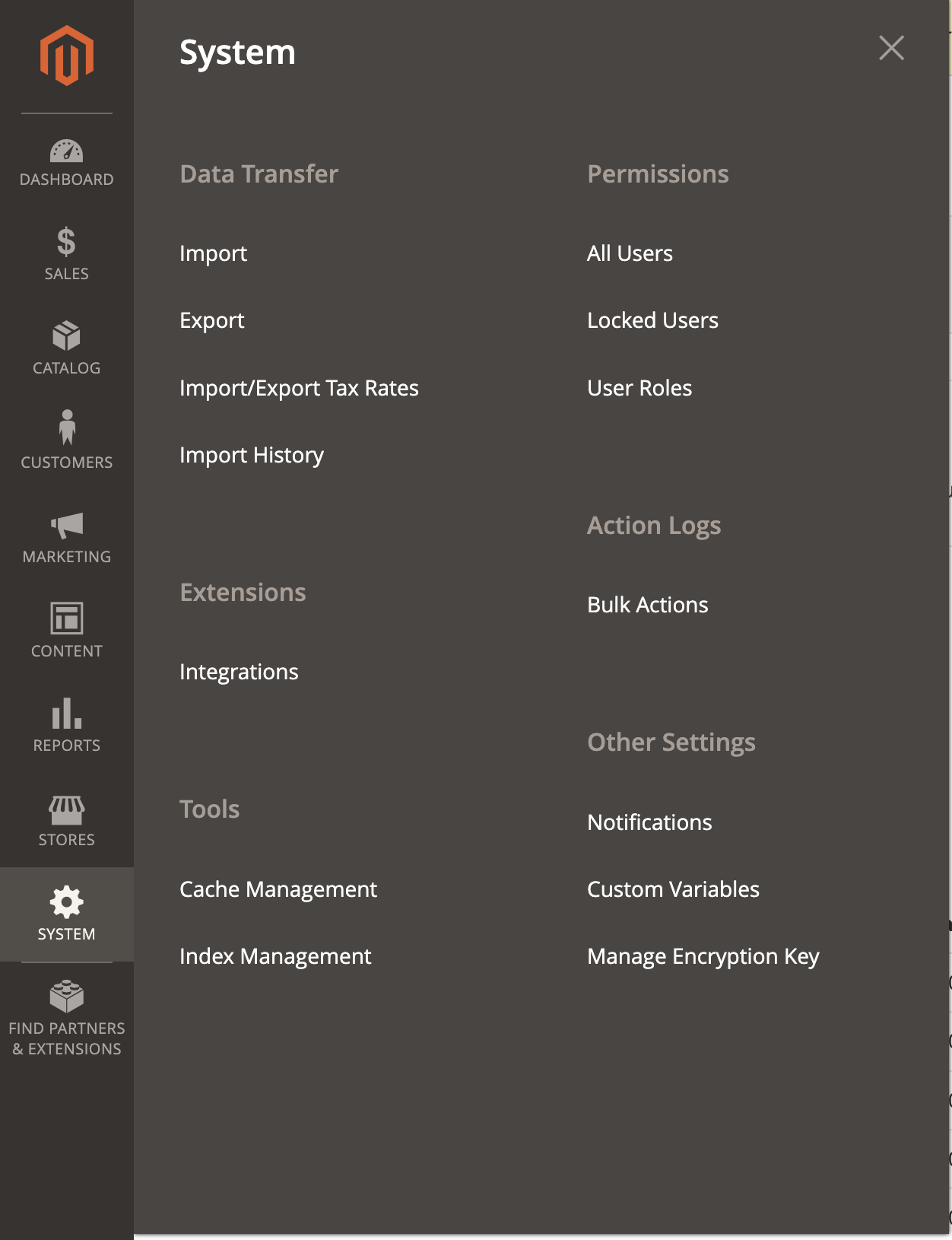
Go to your Admin dashboard > System > Extension > Integrations:
Click "Add New Integration":

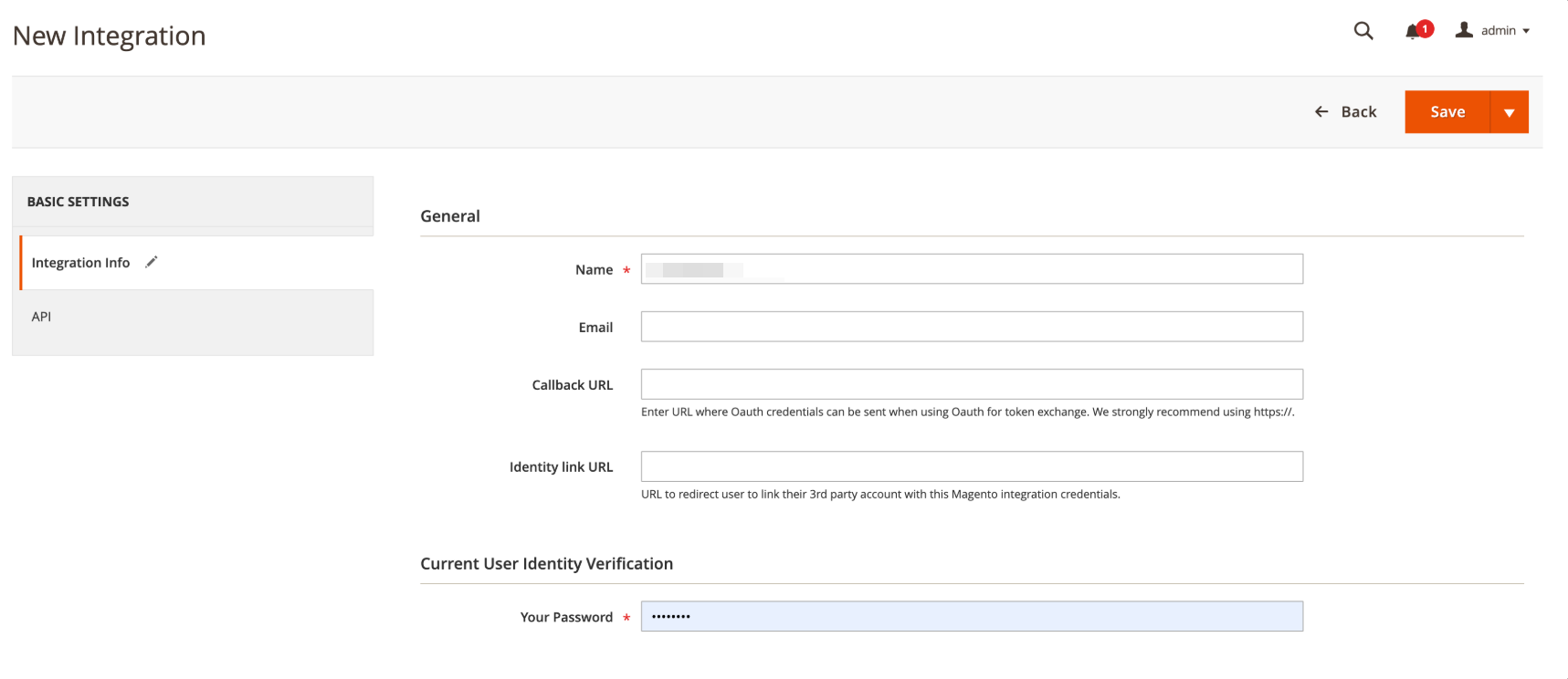
Enter in "Carro Now Powering Modern Dropship" for the Name field, and your admin password:
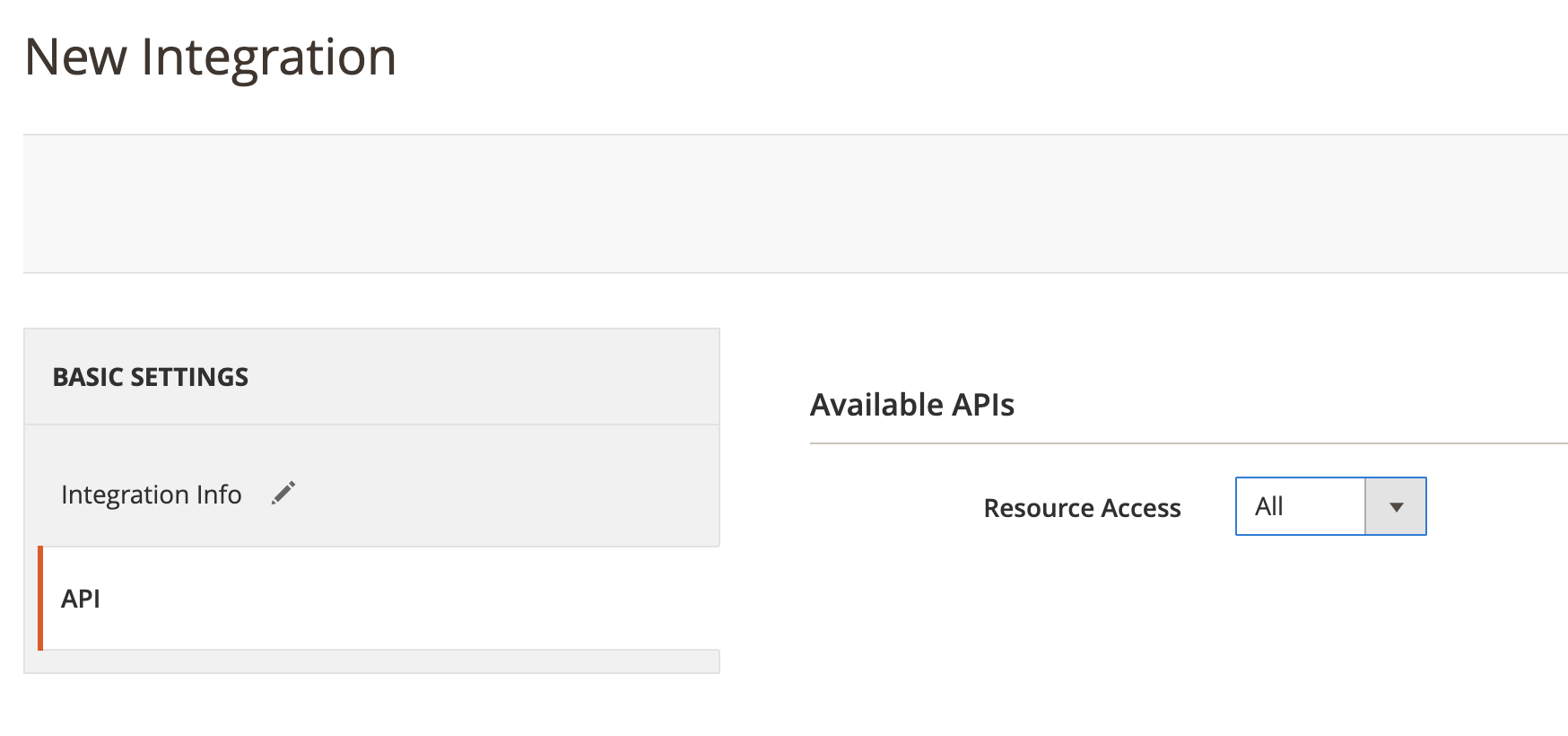
Go to Basic Settings > API. On the "Resource Access" dropdown under "Available APIs", select "All":
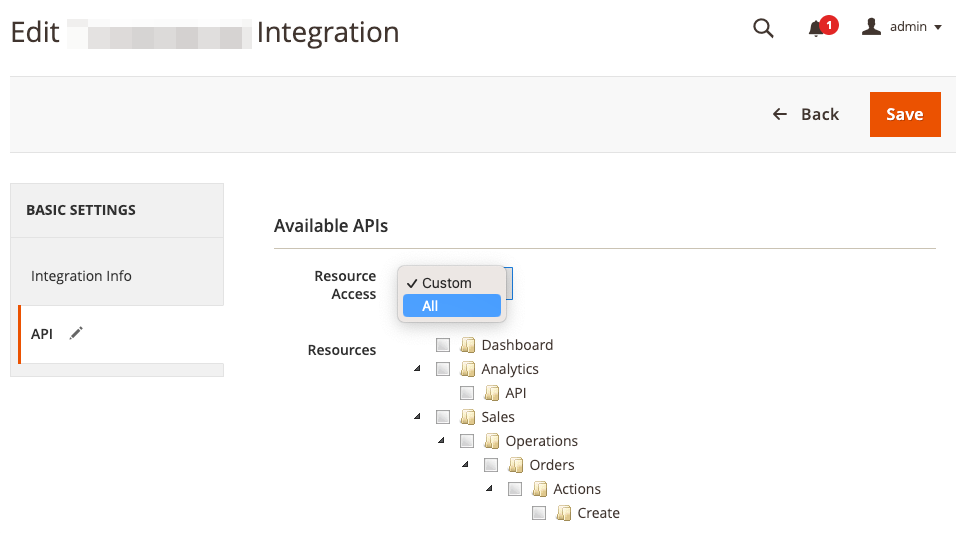
Selecting "All" will check off the full list of resources:
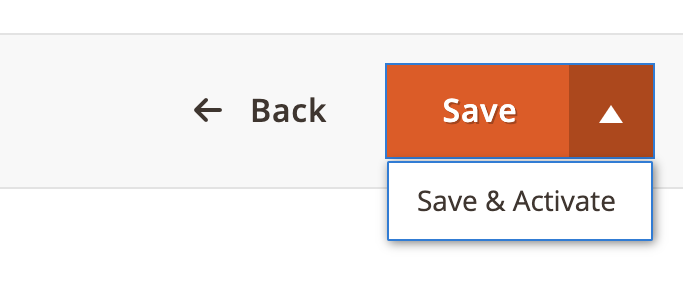
Click on the arrow beside "Save" and click "Save and Activate":
Click "Allow." This will generate the API keys. The API Keys look like this:
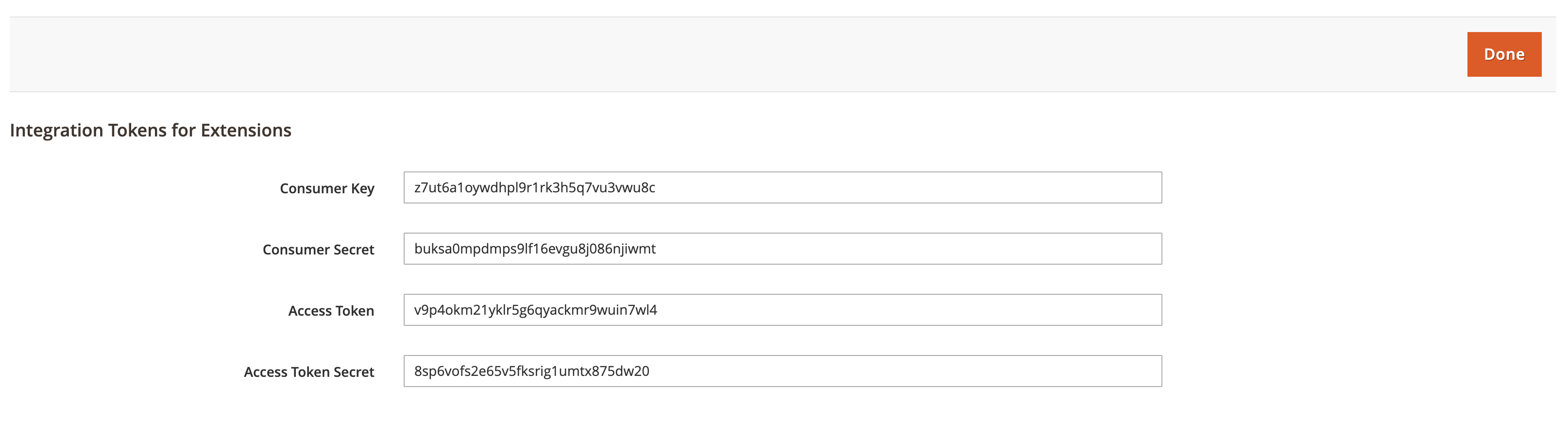
Copy these keys into your Carro Now Powering Modern Dropship Settings panel. If you have the code for the store view that you obtained in the previous step, enter it here as well. Click "Save Credentials":
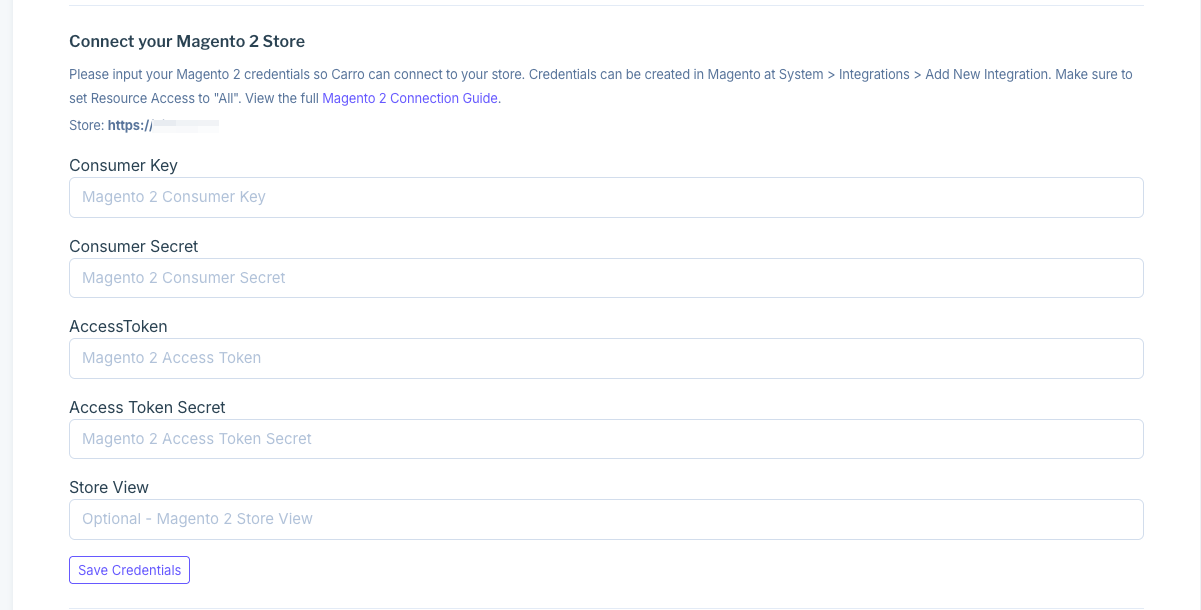
Carro Now Powering Modern Dropship will display that the credentials were saved correctly:
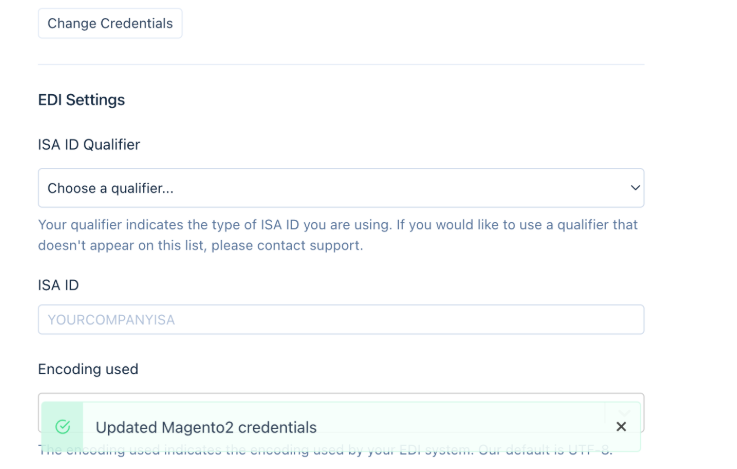
Tip: Within 30 minutes, your products will be visible within the Products tab.
3. Enable Delivery Method
You must enable a shipping method for Carro Now Powering Modern Dropship to be able to place orders on your Magento store.
Go to Admin > Stores > Settings > Configuration > Sales > Delivery Methods:
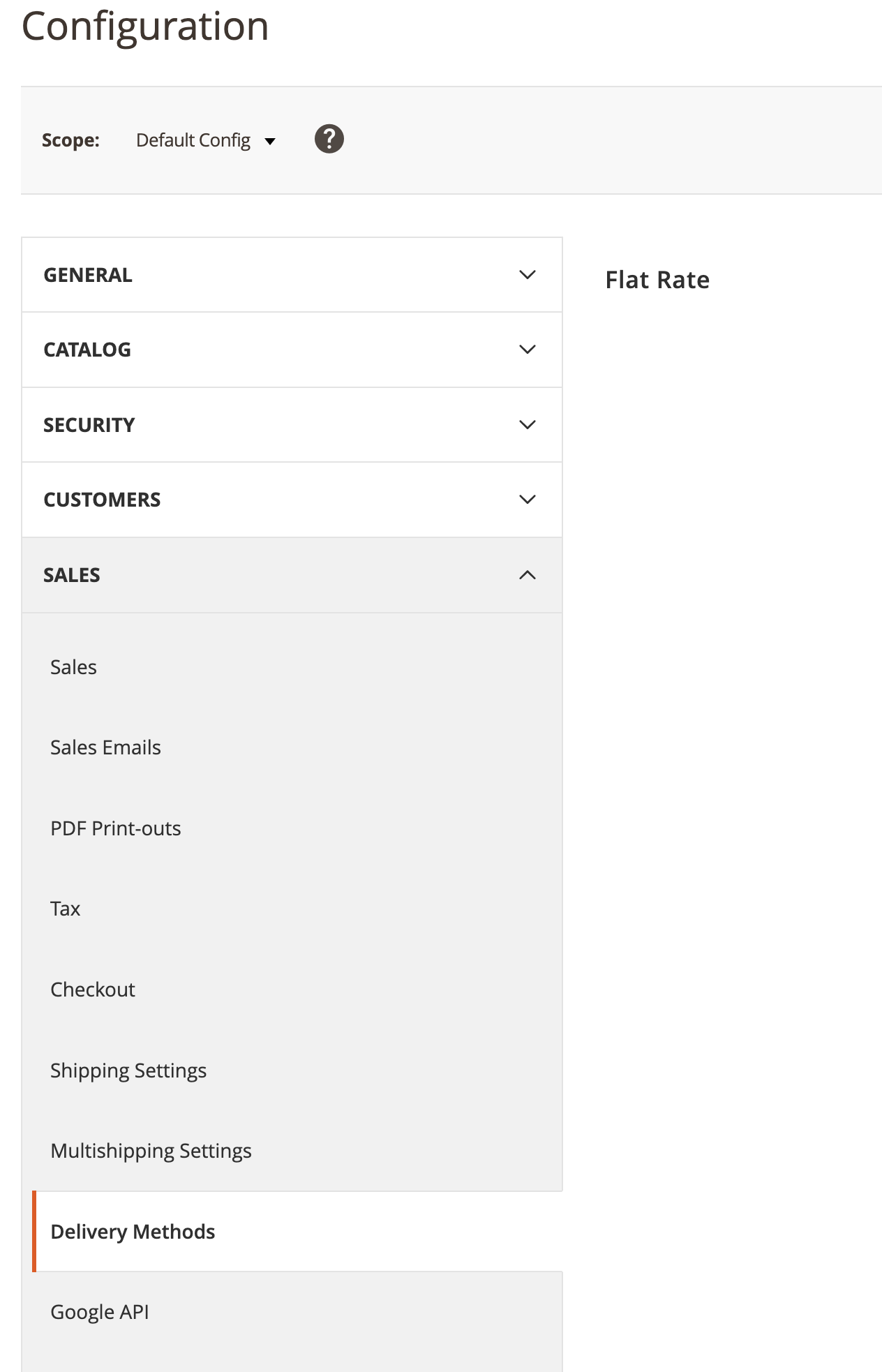
Set "Enabled" to "Yes. This will enable "Flat Rate" or "Free shipping" shipping.
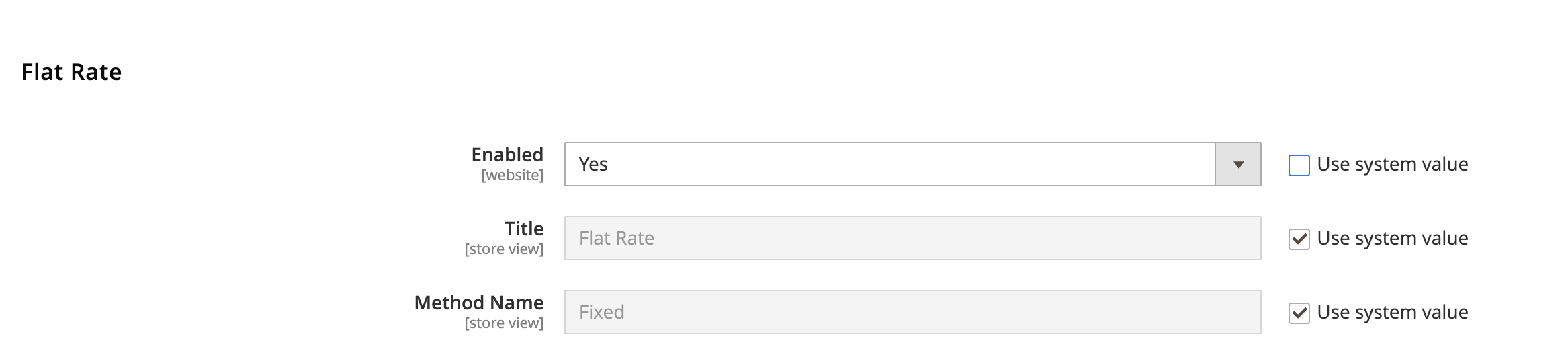
You may need to uncheck "Use system value" before you can do this.
Click "Save Config" at the top.
4. Enable Payment Method
You must have a payment method enabled for Carro Now Powering Modern Dropship to be able to place orders on your Magento store.
Navigate to your Magento 2 Admin > Stores > Settings > Configuration > Sales > Payment Methods:
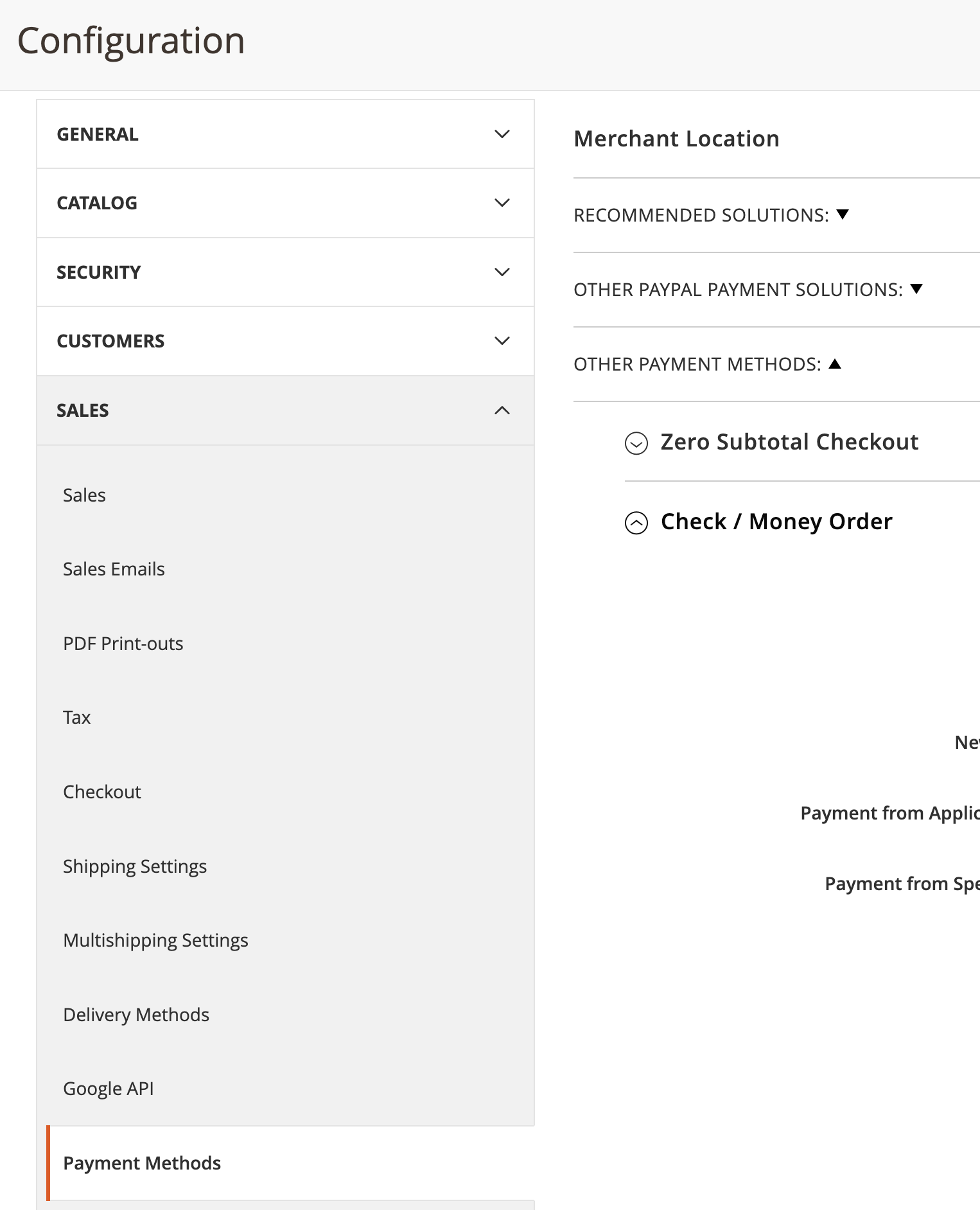
Navigate to "Other Payment Methods" and expand "Check / Money Order":
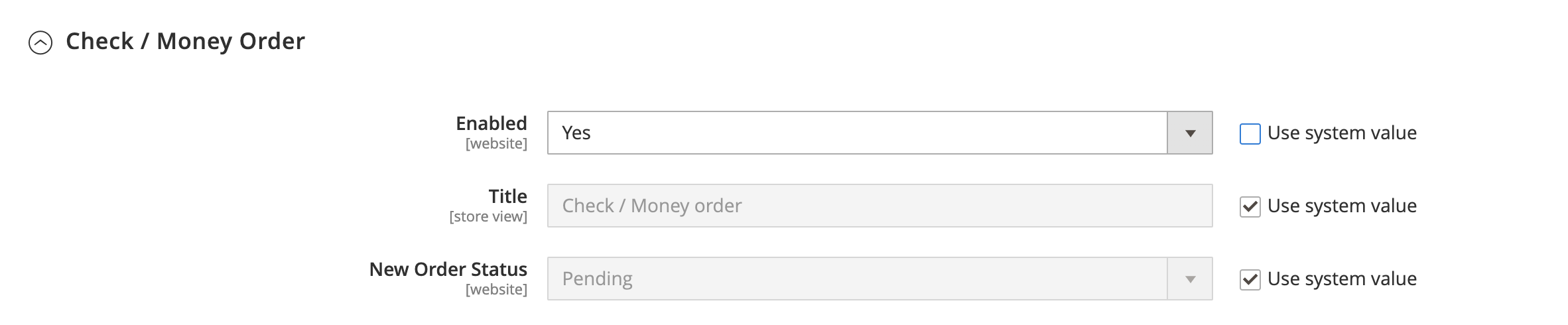
Set "Enabled" to "Yes". This enables "Check / Money Order," "Cash On Delivery," or "Bank Transfer" settings.
You may need to uncheck "Use system value" before you can do this.
Click "Save Config" at the top.
You can whitelist our services in your firewall. Carro Now Powering Modern Dropship requests originate from 34.27.67.179