How to Delay an Invoice
Carro Now Powering Modern Dropship allows retailers to define the time between when an order is shipped and when its invoice is posted. This can be thought of as a delayed invoice.
You can choose default settings that will apply to all of your suppliers, or you can define different settings for each of your suppliers separately.
Follow the steps below to get started!
Default Settings
When you set default billing settings, they will be applied to all of your suppliers, excluding the ones you have set up specific rules for. Here is how to set your default settings:
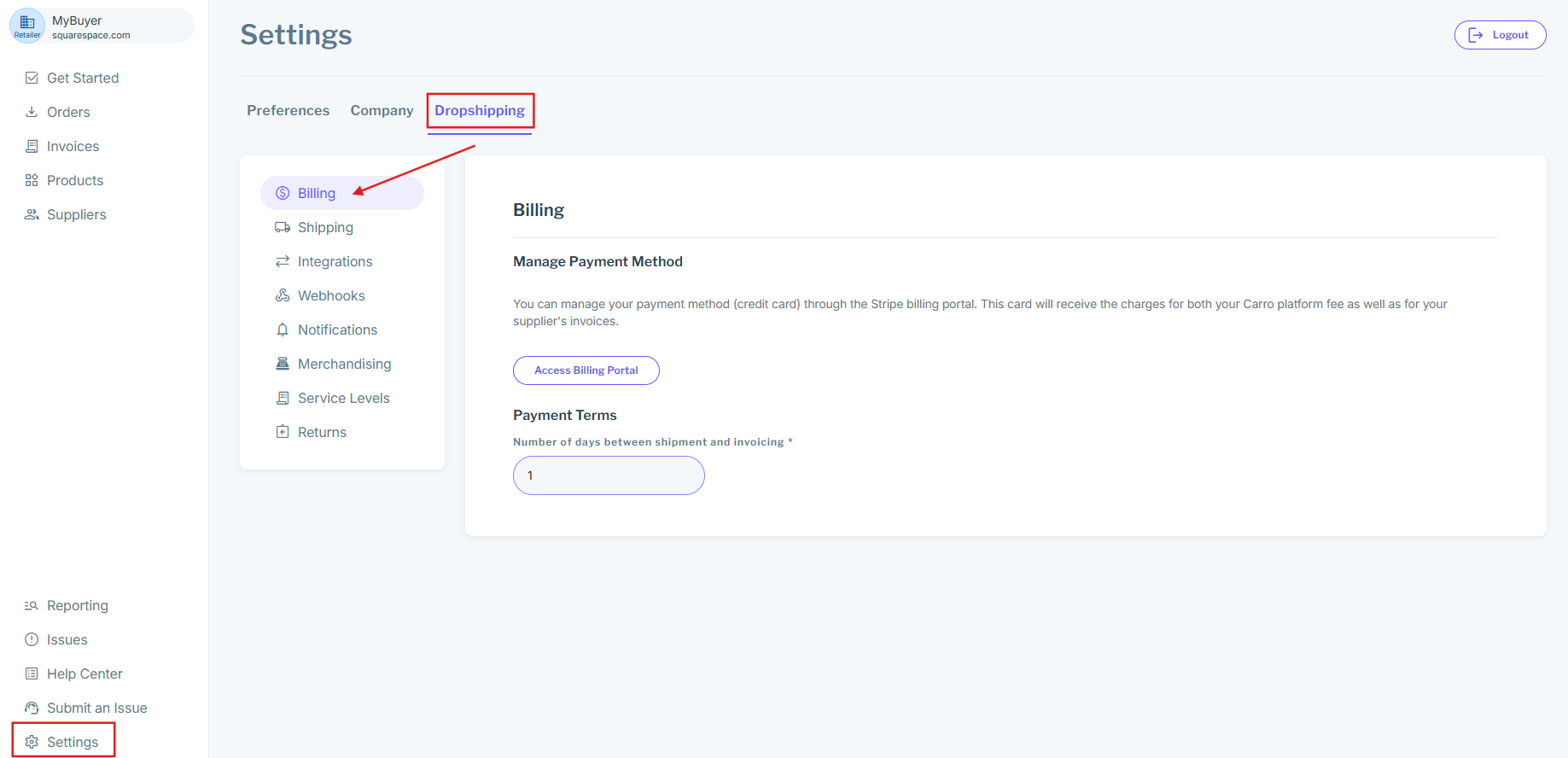
1. Open the Settings modal and navigate to the Billing tab:
Open your settings, then navigate to the Billing tab nested under Dropshipping
2. Choose your settings:
This is the final step. All that's left is for you to define your payment terms. The number you input here will define the number of days that you'd like to pass between when an order has been shipped and when its invoice has been posted. Enter the number of days, click "Save", and you're all set!
supplier-Specific Settings
You can also define specific settings for each of your suppliers. Follow the steps below to learn how:
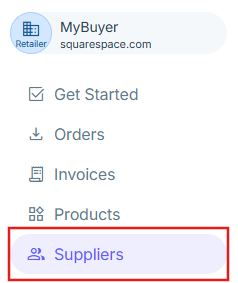
1. Navigate to the suppliers Page
Click on the "suppliers" button in the navigation menu to pull up the suppliers page. This page allows you to view your different supplier ships:
2. Select a supplier
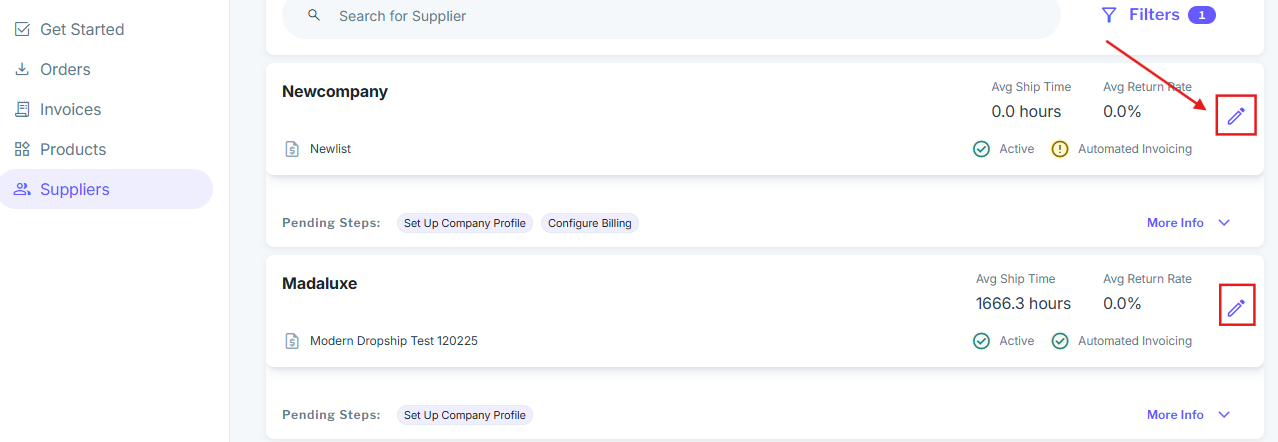
From the suppliers page, you can select which supplier you'd like to define specific billing settings for. Click on the "manage" button to open a specific supplier's settings:
3. Choose Your Settings
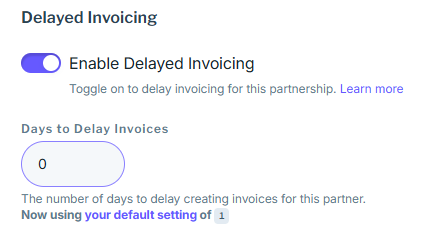
The final step is to define your settings that will be applied only to this specific supplier. Toggle "Enable Delayed Invoices" to on if you would like to apply the number of days to delay the invoice. Be sure to save your settings using the blue "Save" button at the top. Congratulations! You have now defined supplier-specific billing terms.
Important: "Enable Delayed Invoices" must be on if you'd like to apply these settings. If it is turned off, then this supplier will use whatever your company's default billing settings are. View the Default Settings section just above to see how you can select your default settings: