
Partnership Billing Settings
This guide explains how to control billing details within a retailers
By default, Carro Now Powering Modern Dropship performs automated invoicing for fulfilled orders through Stripe (more info on billing here). However, there are cases when a retailers might not want such automated invoicing. We provide the ability to turn invoicing on and off based on your retailers needs.
How To Change retailers Billing Settings
Navigate to the retailers tab
Click on the retailers you're looking to edit
Scroll down to the Billing section of the retailers
Toggle the "Automated Stripe Invoicing" setting.
Click Save at the top of the page.
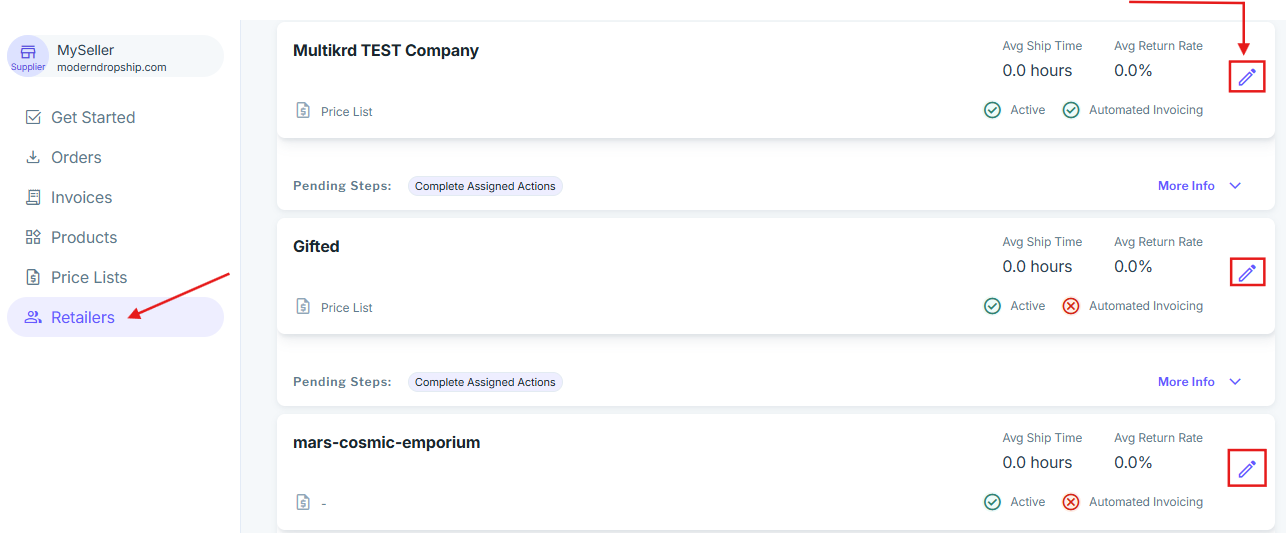
If the automated invoicing is possible with this retailers, you will see the toggle enabled after saving. If there is an issue with automated invoicing after the retailers has been updated we'll let you know what the problem is along a link to an article helping to remedy the issue:
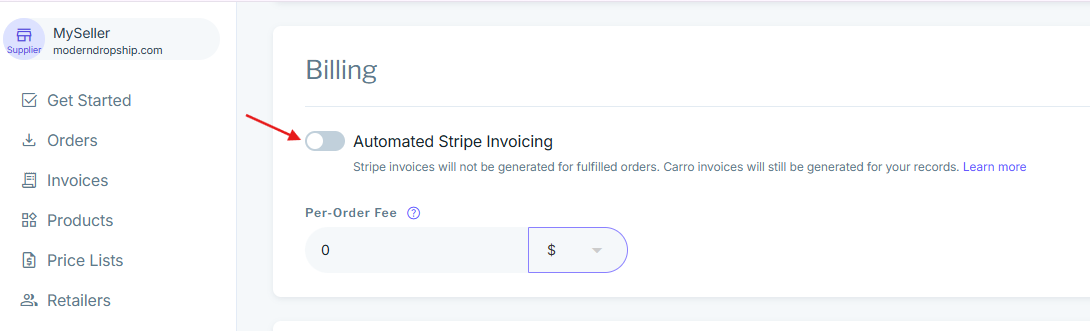
In order for automated invoicing to function, please ensure you have set up a billing address.