
How to Resolve "Unable to access your SFTP server"
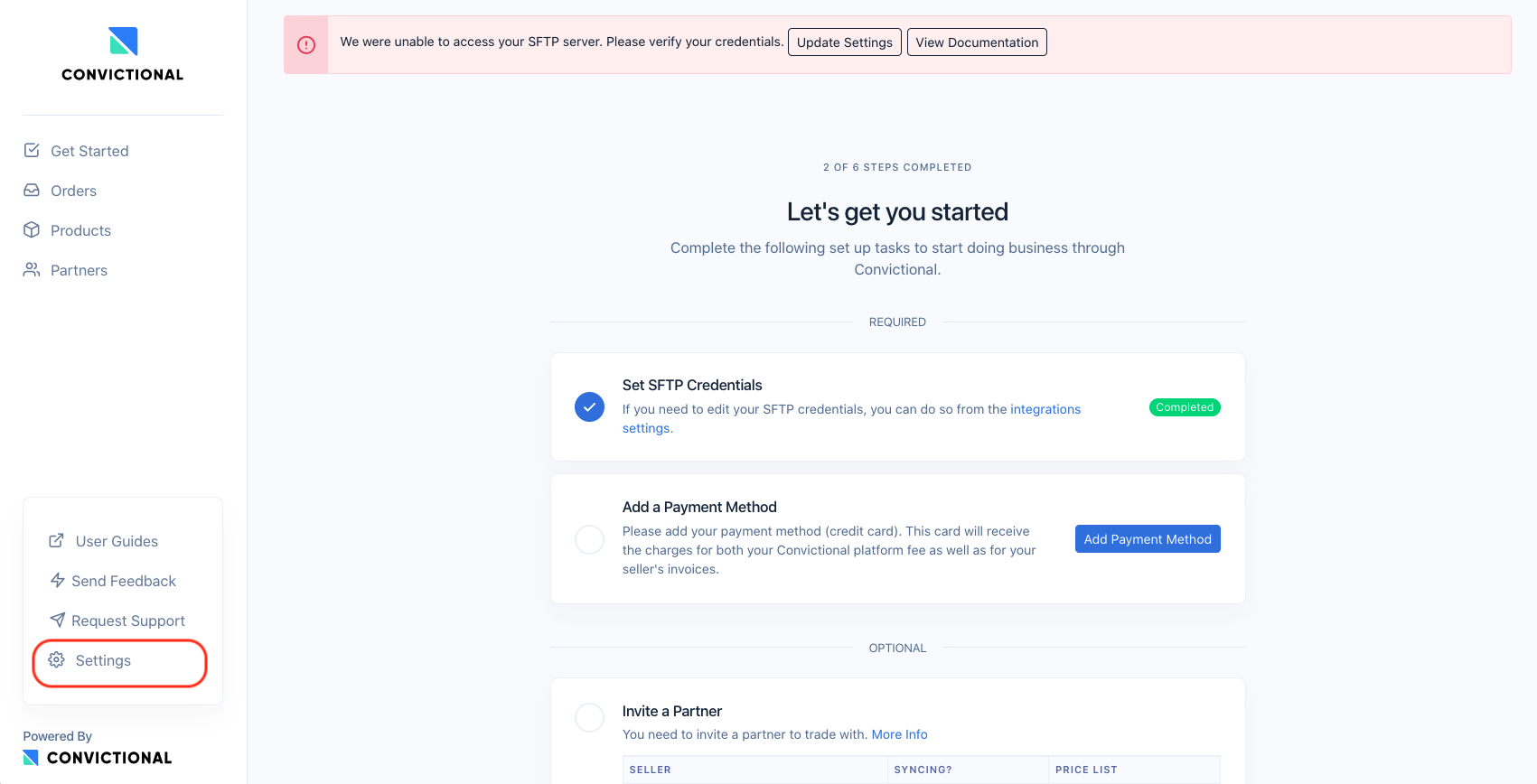
If you may see the following error on your top navigation, such as:

Or if you see this same error on your Issues page, such as:
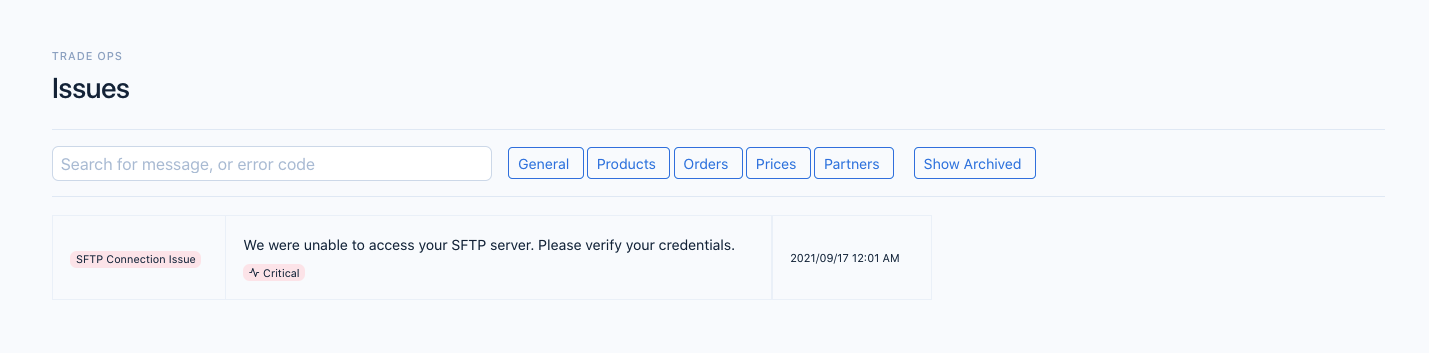
The underlying issue is that our system is unable to access your SFTP server. The most likely reason is that the credentials are incorrect or another detail regarding the SFTP server. You can view your SFTP details by selecting the "Update Settings" button or navigating under the Settings menu in the Integrations tab.
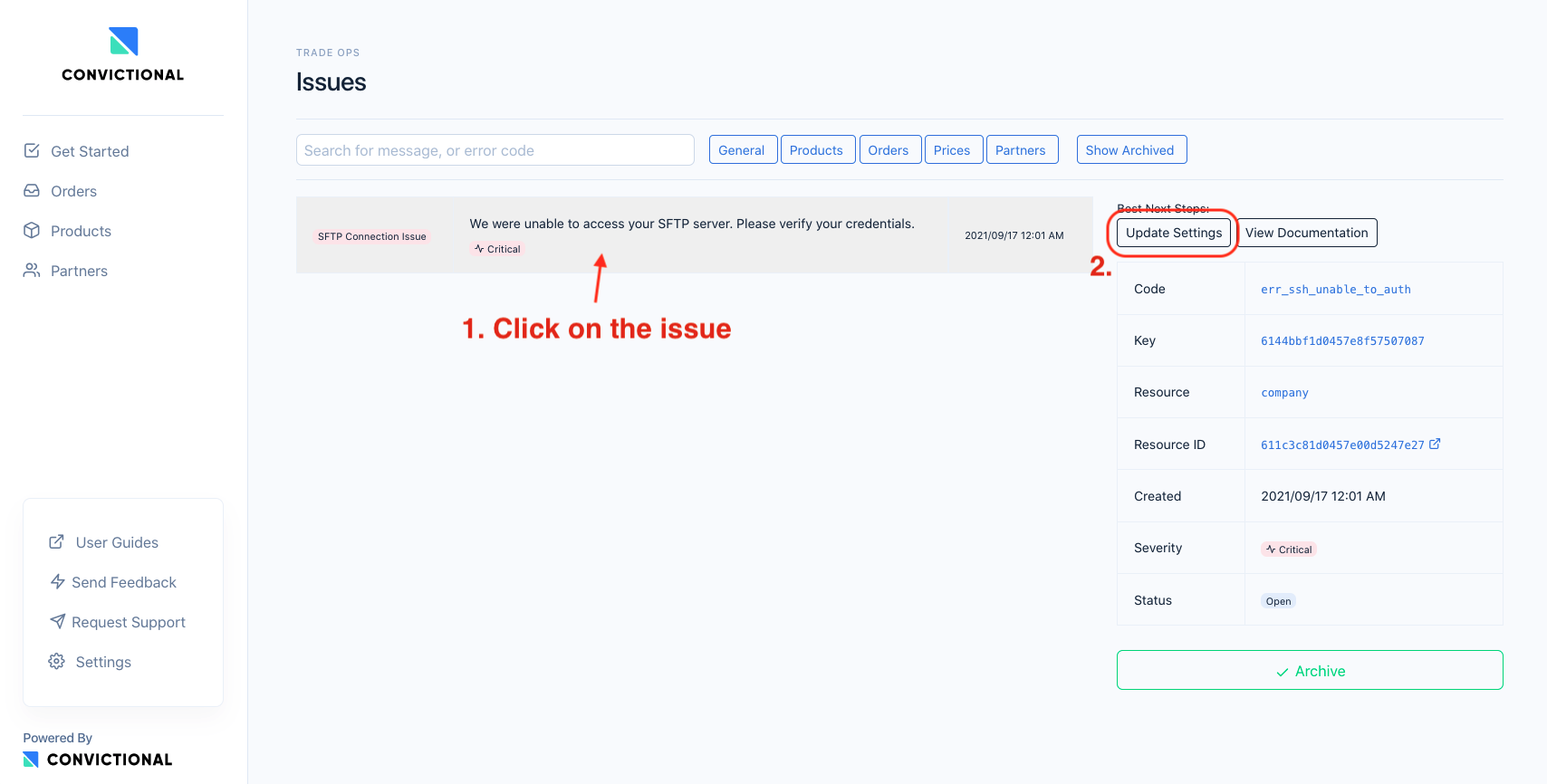
The full path for navigating for to the Integration page is:
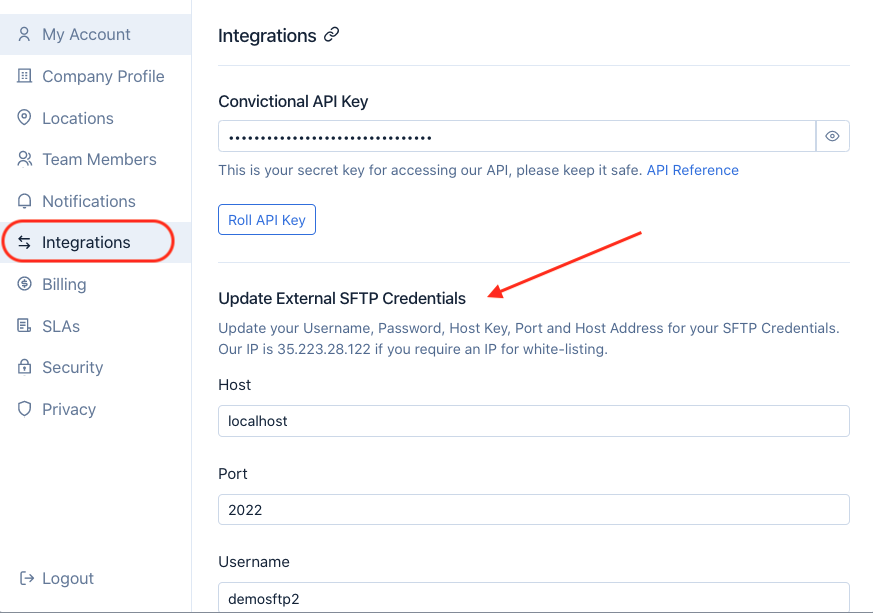
Review the details of your SFTP connection and confirm there are no changes. Each time the credentials are updated, we revalidate our access. This is why the issue is most likely coming from a change on the SFTP server and not within Carro Now Powering Modern Dropship.
If the problem continues, please reach out to support@moderndropship.com.